Schedopia 1.3.0: sell seats for events, classes and shows
Version 1.3.0 adds a second booking mode. Draw a seat map, price the tiers, and let customers pick their own seats at dated events, with the same double-booking guard.
Schedopia 1.3.0 is available on WordPress.org. It is the biggest release since 1.0, and it changes what the plugin is: not only an appointment system, but a booking plugin for everything that can be booked.
Two kinds of booking
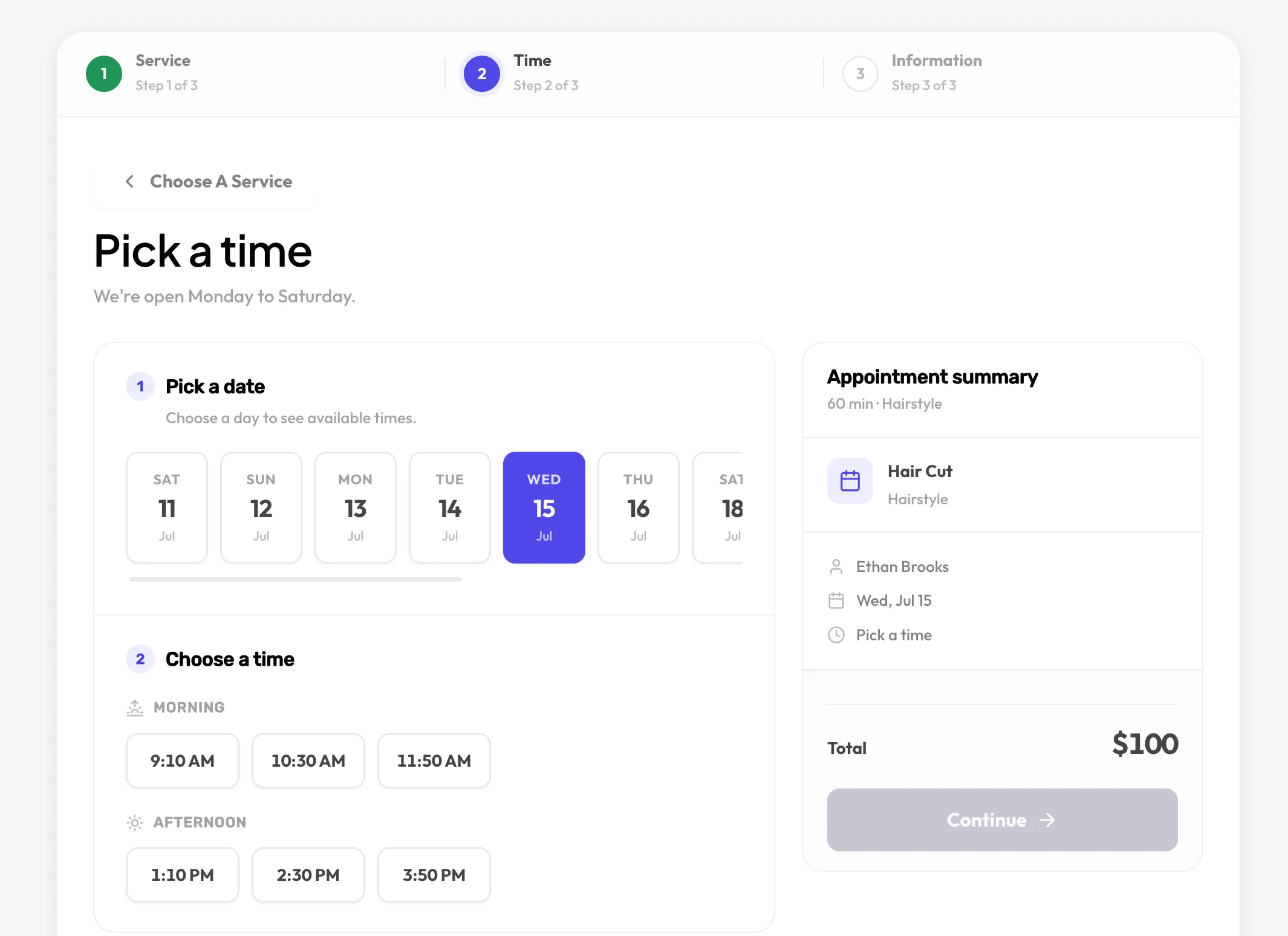
Until now Schedopia booked people into time. A customer picks a service and a staff member, and the form finds a slot that fits.
Plenty of businesses sell something else: places at a dated session. A yoga class has twelve mats. A cookery workshop has eight benches. A community theatre has 120 seats, and the ones at the front cost more. Those businesses were using ticketing services that charged per ticket, or a second plugin, or a paper chart.
1.3.0 adds that second kind of booking, in the same plugin, on the same customer list, with the same emails.
What’s new
Venues and halls. Model your space as a venue with one or more halls. Each hall has its own seat layout.
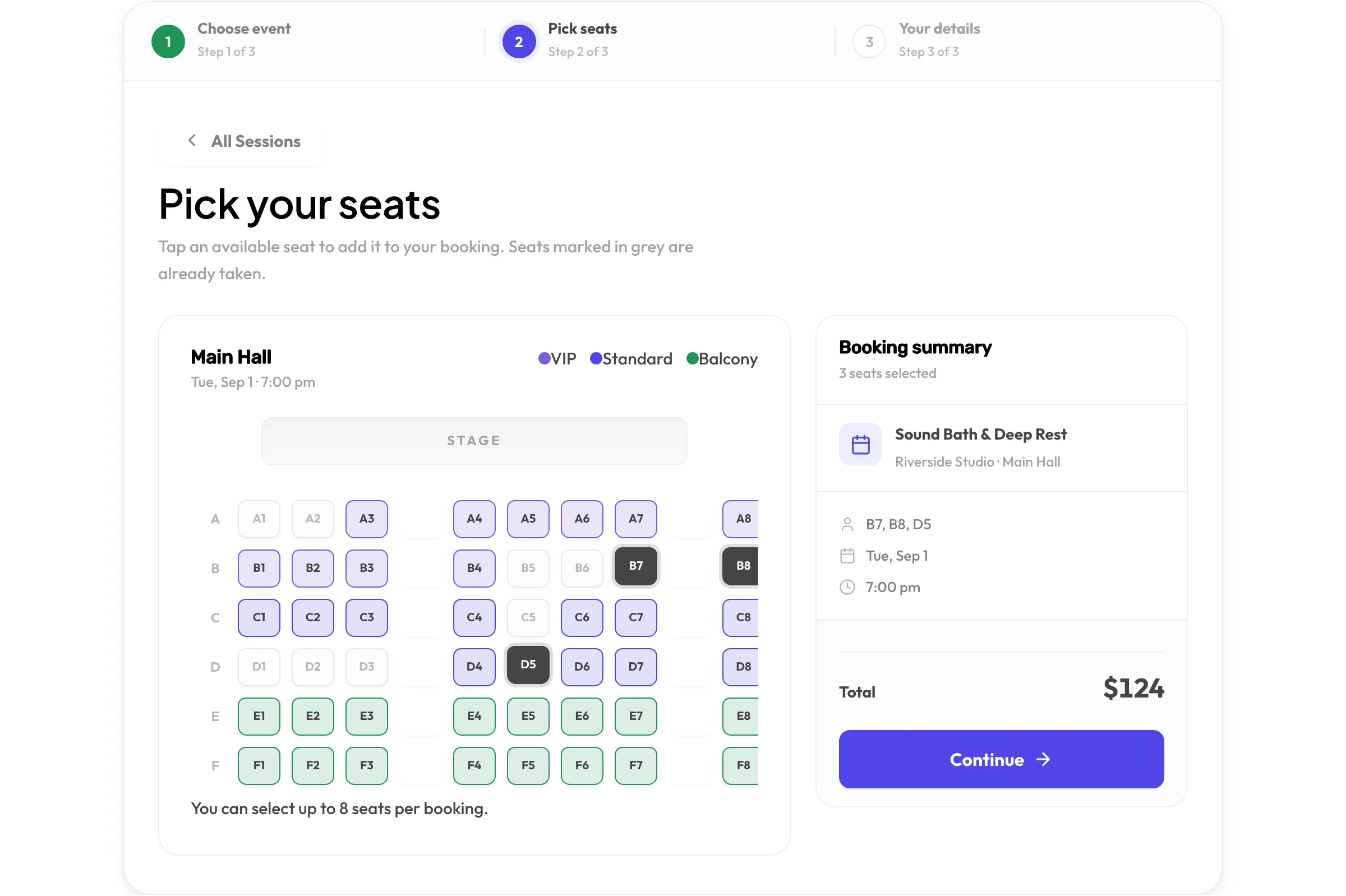
A visual seat planner. Draw rows and seats in the admin, or generate them in bulk and adjust. Leave gaps for aisles. The map you draw is the map customers see.
Tiers and per-seat prices. Group seats into tiers such as VIP, Standard and Balcony, each with its own colour and price. Override any single seat’s price when you need to.
Events with live availability. Create a dated event in a hall. The event list shows date, venue, hall, duration, a live seats-left count and a “from” price.
Multi-hall events. Open a second hall for an event when the first fills up. Customers switch between halls in the map.
The same guard. A seat can never be reserved twice for the same event. Reservations are validated against seats already taken inside a database transaction, exactly as appointment slots are.
A wizard that asks. The setup wizard now asks whether you take appointments, sell seats, or both, and sets up the admin accordingly.
How customers book a seat
Add [schedopia_booking mode="event"] to a page. Customers see upcoming sessions, choose one, and land on the seat map. Tiers are colour-coded, taken seats are greyed out, and a booking summary totals what they have picked. They enter their details and confirm. Pay on arrival, a confirmation email with calendar buttons, and a self-service cancellation link all work exactly as they do for appointments.
What hasn’t changed
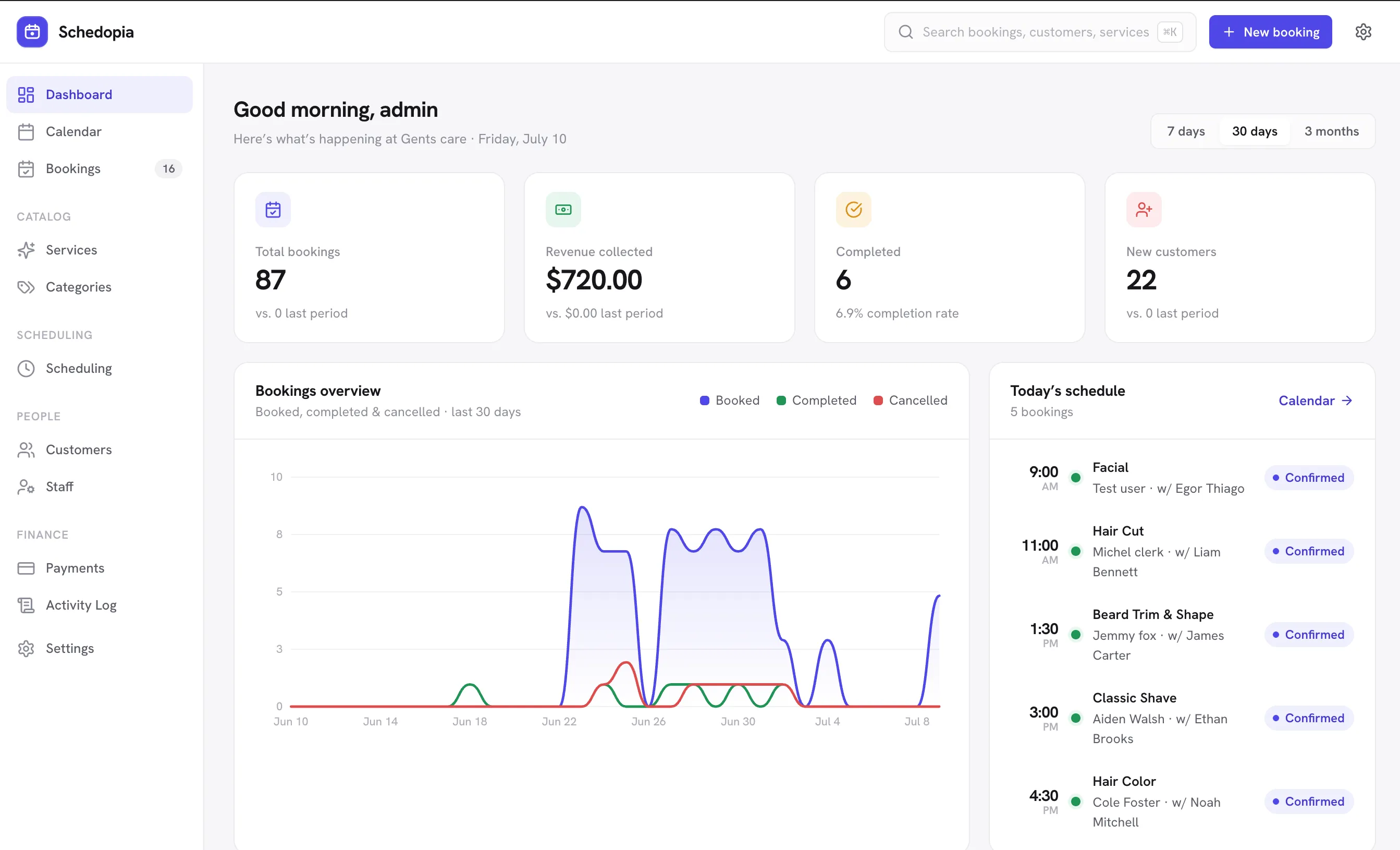
Everything that made 1.2 worth installing is still here and still free: staff availability and buffers, add-ons, the dashboard, CSV export, reminders, self-cancellation, calendar feeds, spam protection, the REST API. Events are an addition, not a pivot.
Upgrading
Update from the Plugins screen as usual. New tables for venues, halls, seats and events are created automatically. If you only take appointments, nothing changes for you; events mode stays off until you enable it in Settings.
Read the events documentation to get started, and tell us what you sell seats for. It shapes what comes next.