Confirmations and cancellations
Customers get a clear email for every booking and every change.
Features
Schedopia covers the whole job: what you offer, who offers it, when it is available, who booked it, whether they paid, and how they hear about it. All of it runs inside your WordPress site.
Appointments
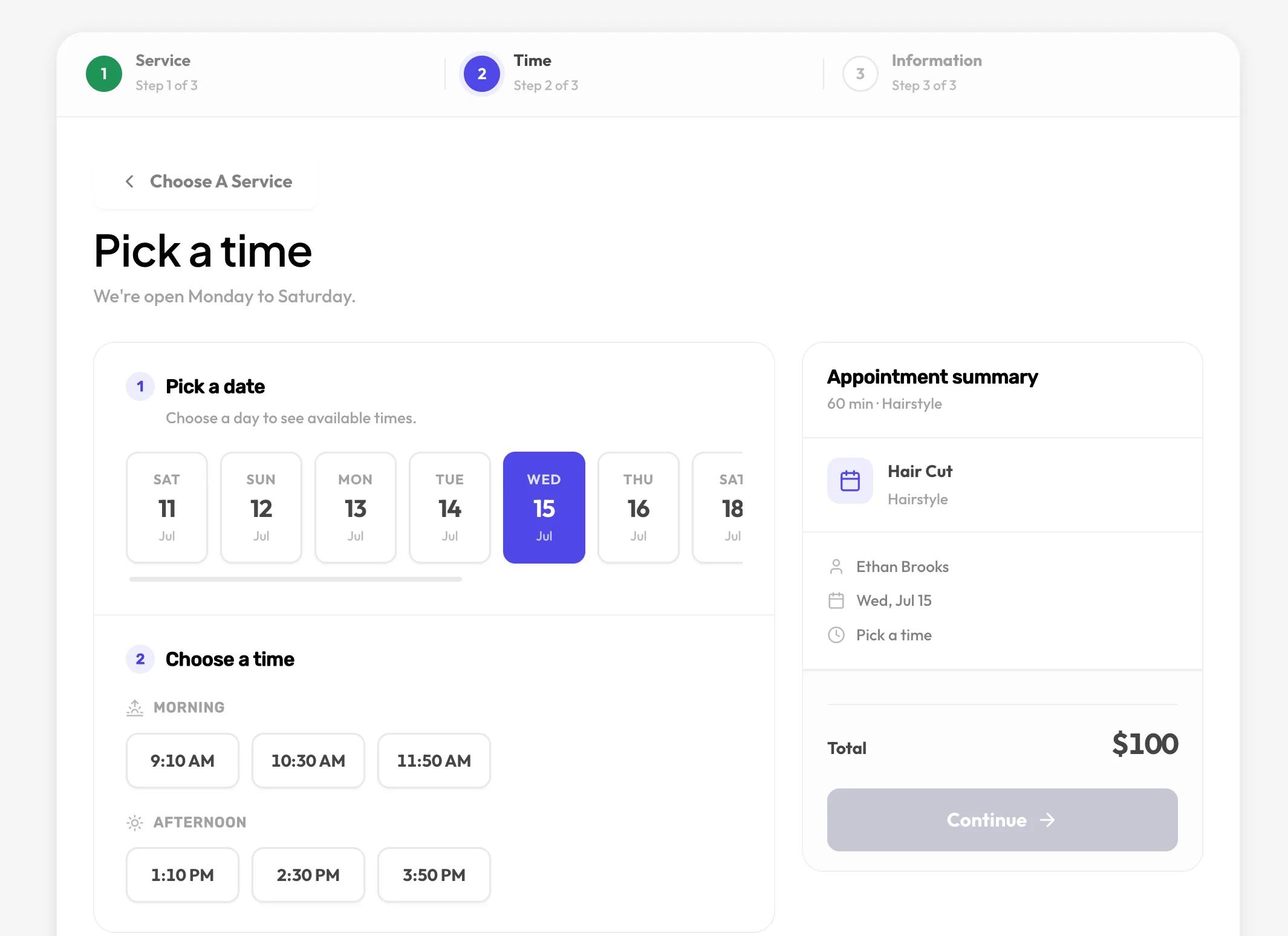
Set up what you offer and who offers it. Customers see only the times that are genuinely open, and every booking is checked against real availability before it is confirmed.
Each service carries its own price and duration. Group them so a long menu stays easy to scan.
Offer extras alongside a service. The total and the slot length update to match.
Weekly hours per person, time off, gaps between appointments, and how many customers each slot can take.
Two customers can never take the same slot. The check runs inside a transaction, not in the browser.
Customers see times in their zone; you see them in yours.
Events and seats
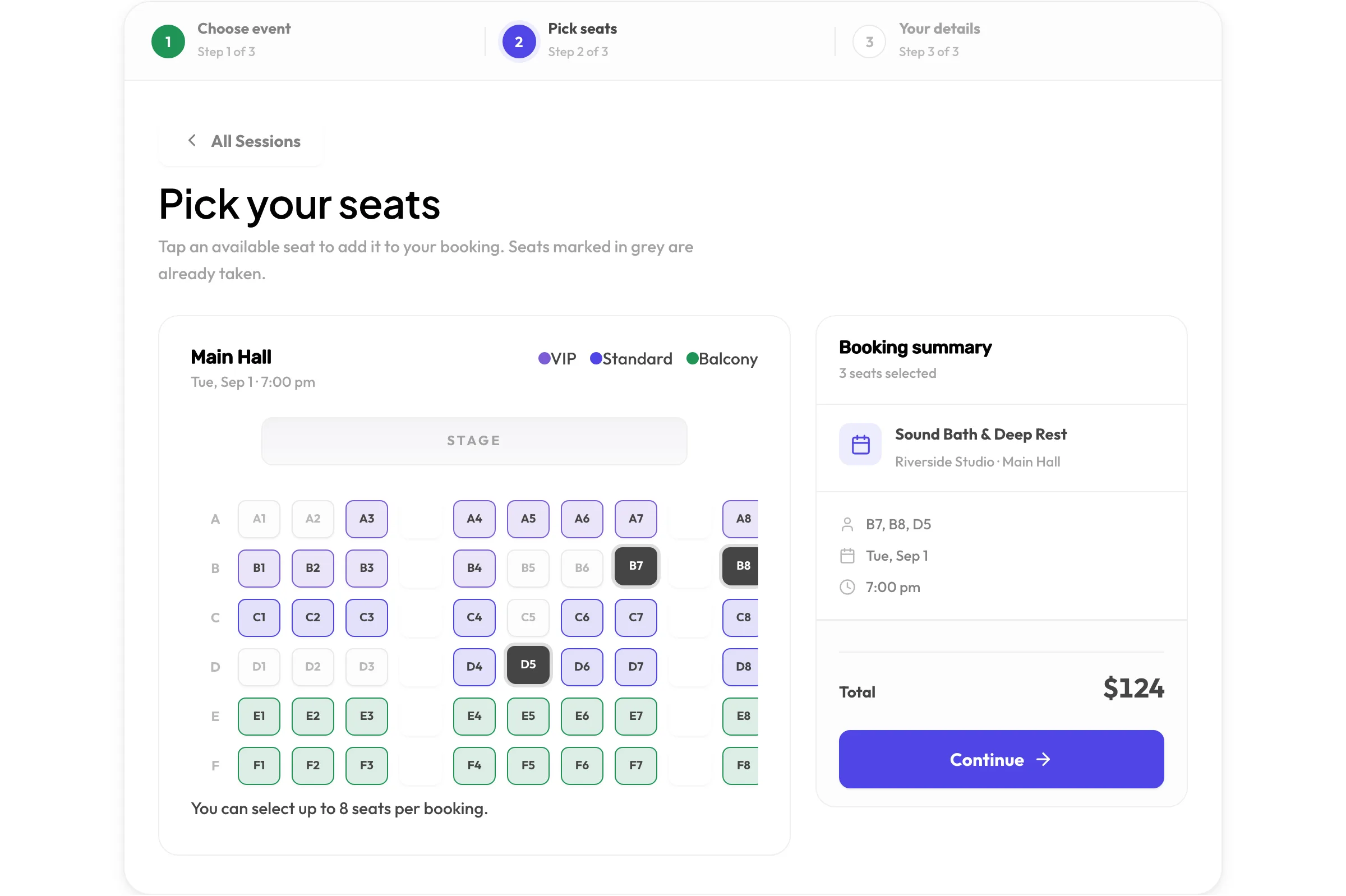
Lay out a venue once, then run as many dated events in it as you like. Customers pick the exact seats they want and see live availability while they choose.
Each hall has its own seat layout. Add a second hall to an event when the first fills up.
Draw rows and seats in the admin, generate seats in bulk, and group them into tiers such as VIP, Standard and Balcony with their own colours and prices.
Price a single seat differently from its tier when you need to.
Upcoming sessions list the date, venue, hall, duration and how many seats remain.
Reservations are validated against seats already taken, with the same transactional guard as appointments.
Booking form
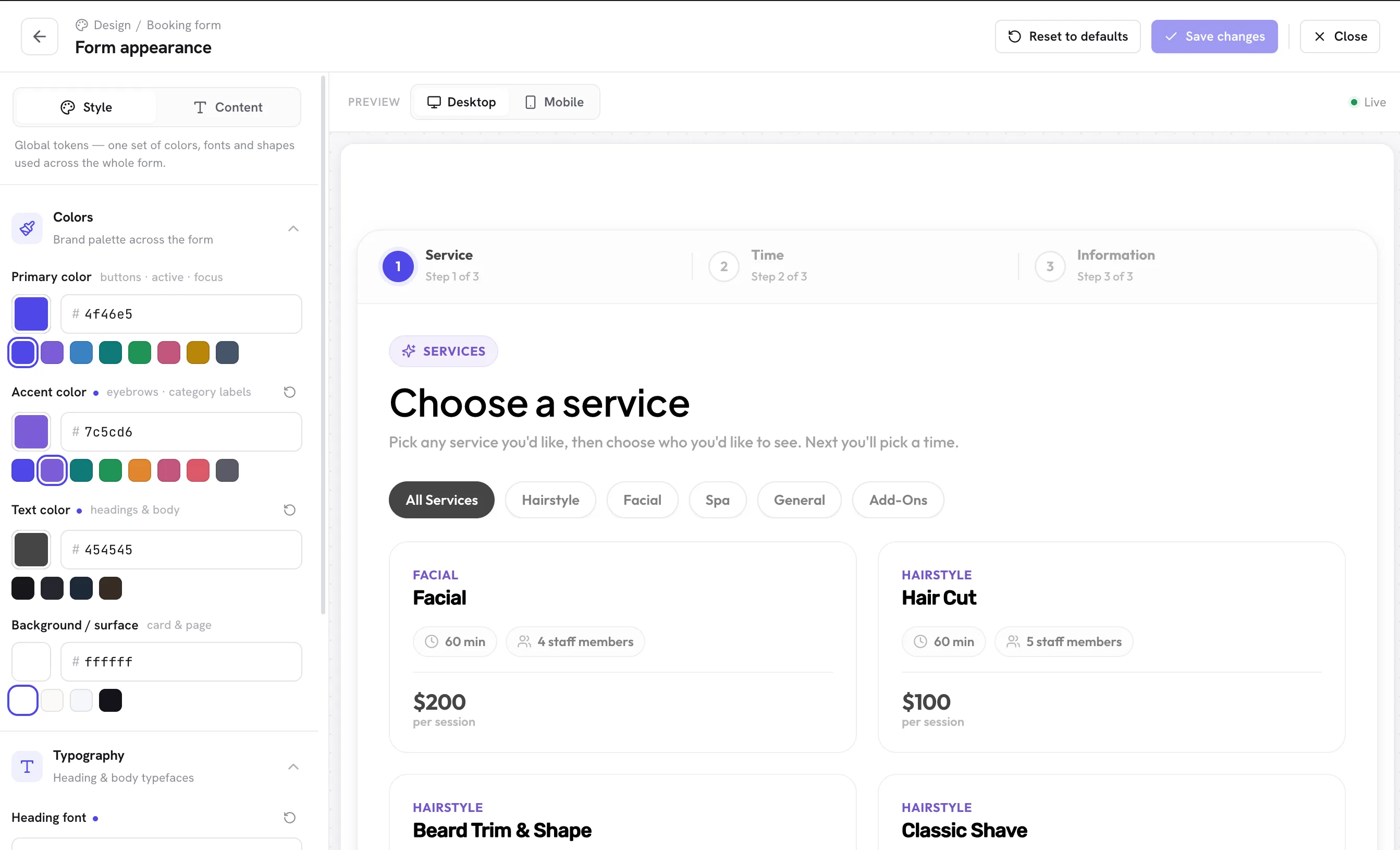
Customers choose, pick a time or seats, and confirm. Pay-on-arrival keeps the flow short. Brand the form from the admin without touching CSS.
Designed for a phone screen first, then scaled up. Most bookings happen on one.
Colours, fonts, shapes and button style, with a live desktop and mobile preview as you change them.
Paste [schedopia_booking] into the block editor, Elementor’s Shortcode widget, or the classic editor. Add mode="event" for seat bookings.
Bookings arrive while you sleep. No staff involvement until the appointment itself.
Admin
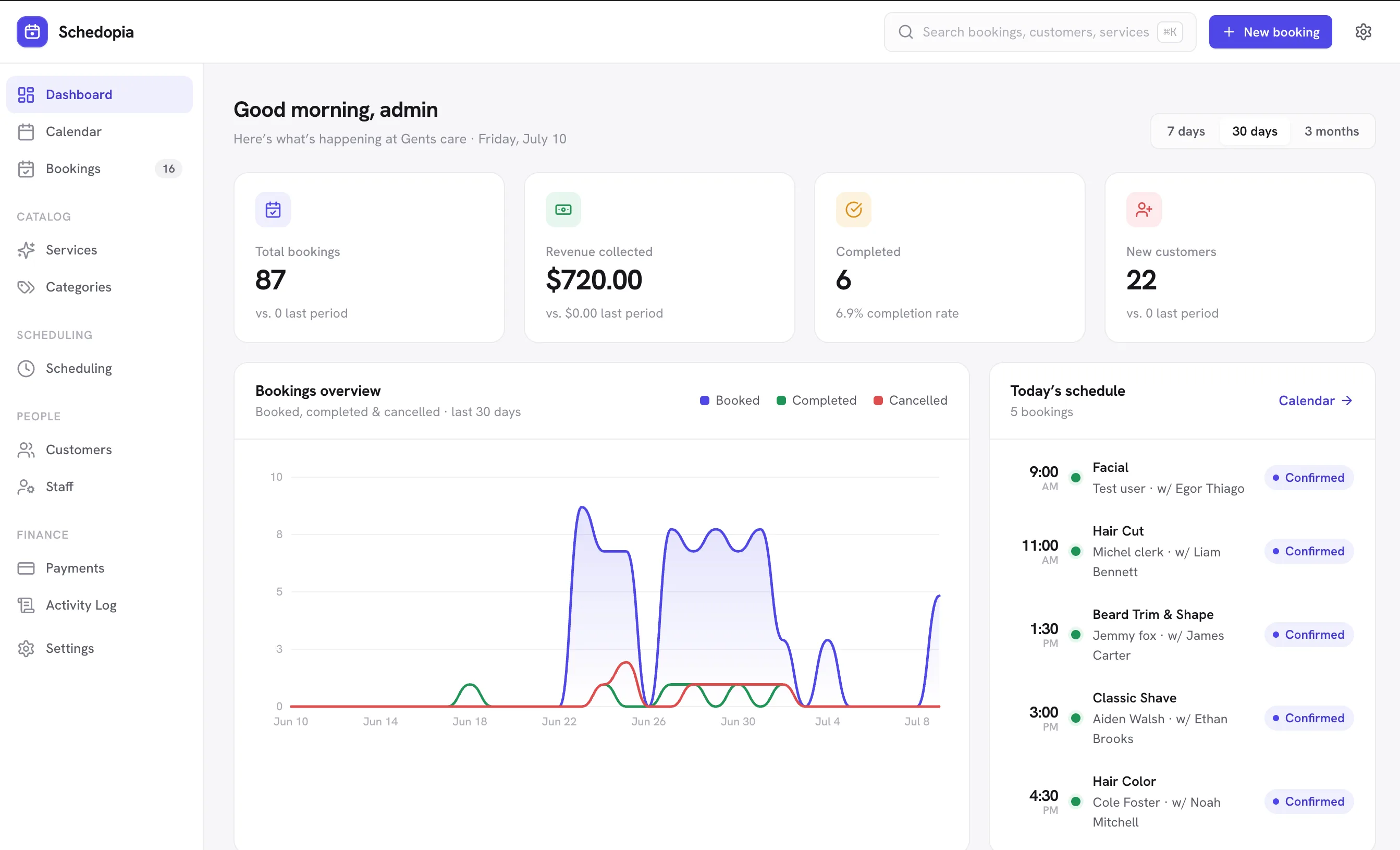
The dashboard answers the questions you actually ask each morning: what is booked today, how much has come in, who is new. Everything else is one click away.
Total bookings, revenue collected, completion rate and new customers, with a trend chart and today’s schedule.
Narrow by status, staff or service, and search across every appointment with its payment status and amount.
Every customer record shows what they booked and when.
Record cash, bank transfer, or mark a booking as paid. Every booking carries a payment status.
Export exactly the bookings you are looking at, ready for a spreadsheet or your accountant.
A record of what changed and when, across bookings and settings.
Notifications
Confirmations go out the moment a booking lands. Reminders reduce no-shows. Customers can cancel from the email, inside the rules you set.
Customers get a clear email for every booking and every change.
Customers are reminded before their appointment. Your team hears about every new booking.
A secure link in the email lets customers cancel without an account. You decide how close to the appointment that is allowed.
Google, Outlook and Apple Calendar buttons in every confirmation, plus a read-only calendar feed to subscribe to.
Developers
Every booking flows through one validated path. Extensions plug into that path through documented hooks and driver interfaces, so nothing you add can create a booking the core would reject.
Everything the admin can do is available under /wp-json/schedopia/v1/ with schema-driven validation.
Per-area permissions for admin routes, rate limiting on the public API.
Implement BookingSource, NotificationChannel or PaymentMethod to add channels and payment types.
Bookings, services, staff, customers, payments, venues, seats and events live in wp_schedopia_* tables.
/wp-json/schedopia/v1/BookingSource, NotificationChannel, PaymentMethodRelational tables prefixed wp_schedopia_*Every booking, whether from the form, the API or an extension, passes through the same validated path.
Privacy and security
Out of the box Schedopia contacts no external service and loads nothing from a CDN. Your customers’ names, emails and bookings stay in your database.
A honeypot field and a minimum fill-time check reject automated submissions. Google reCAPTCHA v3 is available if you want it, and only runs when you add your own keys.
Removing the plugin keeps your business data. Deletion happens only if you explicitly opt in.
No tracking, no phone-home, no CDN assets. The plugin is fully self-hosted.
Free software you can inspect, modify and keep running for as long as you like.
Install Schedopia from WordPress.org, run the setup wizard, and paste one shortcode. If you would rather talk it through first, we are happy to.